
 Developer Tools Extension
Chrome Ruler
Measure spacing, alignment, and dimensions with on-page rulers, draggable guides, and pixel measurement boxes in Chrome.

Developer Tools Extension
Measure page layouts without leaving the browser.
Chrome Ruler adds a lightweight measurement overlay to standard web pages so developers, designers, and QA testers can inspect spacing, alignment, and dimensions in the context where the layout actually renders.
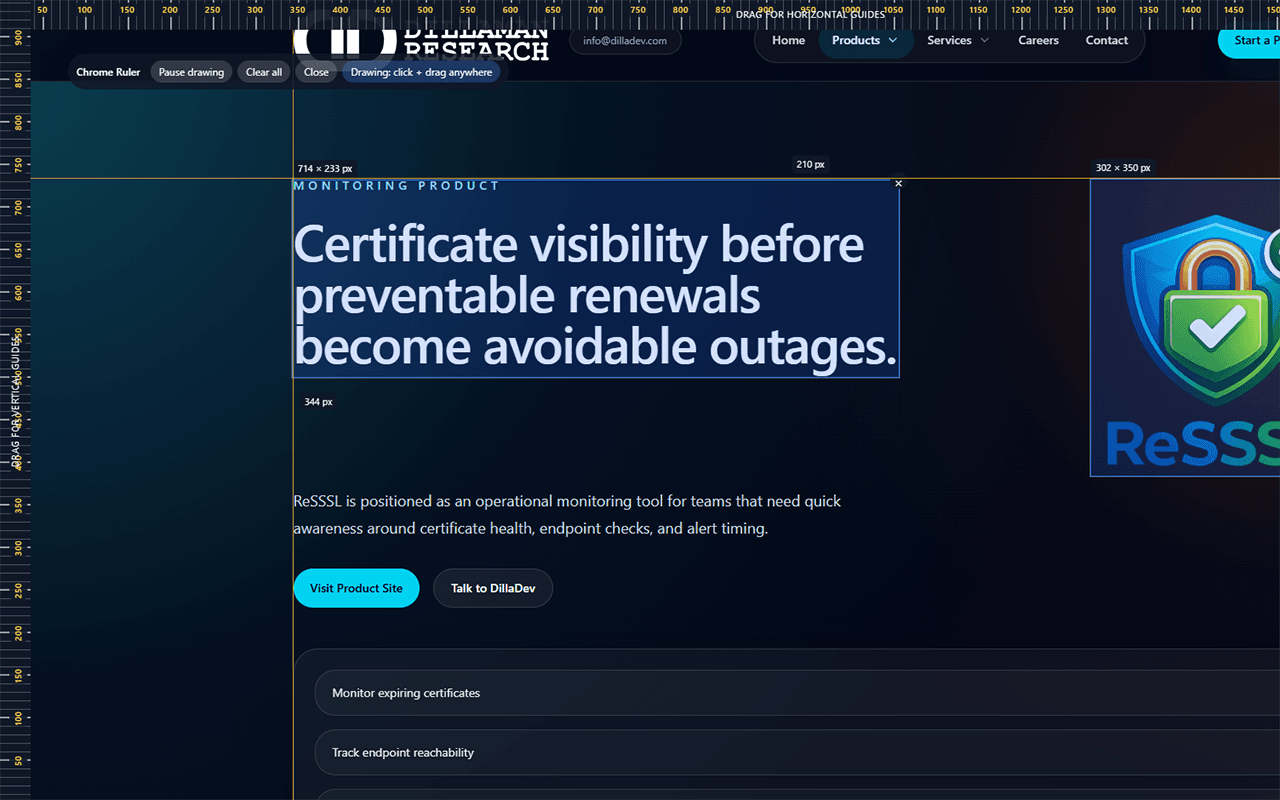
Fast visual measurement for real browser layouts.
Draw boxes, place guides, and read pixel dimensions directly on the page during development, design review, or QA.
Draw measurement boxes
Click and drag directly on a page to inspect width, height, and visible spacing in pixels.
Top and left rulers
Use page-edge rulers to keep layout measurements anchored while reviewing real interfaces.
Draggable guides
Pull horizontal and vertical guides from the rulers, then reposition or remove them individually.
Move existing boxes
Hold Ctrl to move drawn measurement boxes when a layout check needs a quick adjustment.
Pause, clear, or close
Use the in-page toolbar to pause drawing, clear measurements, or close the temporary overlay.
Local by design
Runs in the browser with no account, backend service, analytics, advertising, or tracking.
Built for the small layout checks that slow teams down.
Current Release
Version 1.0.0 focuses on the core ruler workflow.
The first release is intentionally focused: draw measurements, use draggable guides, pause drawing when needed, clear the page quickly, and close the overlay when the inspection is done.
Permissions
Temporary tab access, only when the user enables the ruler.
activeTab
Grants temporary access to the current tab only after the user invokes Chrome Ruler from the toolbar.
scripting
Injects the extension's local overlay script and stylesheet into the active tab to render rulers, guides, and measurement boxes.
Privacy Posture
No user data collection, analytics, tracking, ads, or remote code.
Measurements, guides, and overlay elements are temporary and local to the active browser tab. They disappear when the user clears them, closes the overlay, or reloads the page.
Not requested
Need a focused browser tool or developer utility?
DillaDev builds practical tools with clear permissions, direct workflows, and low operational overhead.