
DillaDev Notes
May 5, 2026
Can AI Replace CAD Design?
AI can generate models faster than ever, but real engineering is more complicated than prompting a chatbot.
AI + Manufacturing
Useful acceleration, not automatic engineering.
AI can help create concepts, variations, documentation, and automation. It still needs people who understand fit, tolerance, material behavior, production, and failure modes.
Intro
Why this question is showing up now
AI-generated 3D models, text-to-3D systems, AI-assisted modeling, generative design, and automated prototyping tools are all improving quickly. It is reasonable to ask whether CAD designers, engineers, and 3D modelers are becoming obsolete.
The reality is more practical than the headlines. AI can speed up parts of the design process, especially early exploration and repetitive work. But CAD for real products is not only shape generation. It is a workflow that connects design intent, dimensions, materials, manufacturing constraints, testing, and business requirements.
Short Answer
No, AI is not replacing CAD designers entirely anytime soon.
AI is changing CAD workflows dramatically.
It will likely replace some repetitive modeling tasks, speed up rough concept generation, and make automation more accessible. The stronger claim is also the more useful one: designers using AI may replace designers who refuse to adapt.
Capabilities
What AI can already do
AI tools are already useful in CAD-adjacent workflows, especially when the output is treated as a starting point rather than a final production design.
Generate simple 3D concepts
Useful for early visual exploration, quick mockups, and communicating an idea before the dimensions are final.
Create reference geometry
AI can produce rough meshes, silhouettes, or shape studies that a designer can rebuild cleanly in CAD.
Optimize topology
Generative design can reduce weight or material use when loads, constraints, and manufacturing limits are defined correctly.
Automate repetitive modeling tasks
Scripts and AI-assisted tools can batch rename features, create variants, export files, or generate repeated geometry.
Generate parametric variations
A configured workflow can produce size, hole pattern, thickness, or version changes faster than manual edits.
Create organic shapes quickly
AI mesh generation is strongest when the goal is sculptural, decorative, ergonomic, or concept-driven.
Accelerate prototyping
AI can shorten the path from idea to first print, especially when combined with CAD cleanup and physical testing.
Assist with documentation
AI can help draft BOM notes, assembly instructions, test plans, and revision summaries after the design is understood.
Convert sketches into rough models
Image-to-3D and sketch-based tools can create starting points, though they usually still need rebuilding for accuracy.
This includes workflows like generative design, AI mesh generation, AI-assisted CAD tools, and text-to-3D systems. The output can be valuable, but it still needs design intent and validation.
Limits
What AI is bad at
This is the important part. Most AI demos show impressive geometry. Real manufacturing punishes geometry that ignores constraints.
Impossible shapes
AI may create geometry that looks good but cannot be manufactured with the chosen process.
Weak parts
AI can generate thin walls, sharp stress risers, bad layer orientation, or fragile transitions.
Unvalidated reliability
A model can render beautifully and still fail under heat, vibration, load, or repeated use.
Examples
How this plays out in real CAD work
Functional bracket
AI can propose a lightweight shape or suggest ribbing. The designer still chooses hole size, load path, wall thickness, fillets, fasteners, material, print orientation, and safety factor.
Consumer product enclosure
AI can help with industrial design concepts. A CAD designer still has to manage snaps, bosses, wall thickness, cable routing, heat, assembly order, and repair access.
Replacement automotive part
AI can help remodel a scan or generate shape ideas. Real-world fitment, heat exposure, vibration, clips, mounting points, and failure risk need human judgment.
Parts for 3D printing
AI can make a printable-looking STL. A production-minded designer still checks orientation, overhangs, supports, layer strength, tolerances, and cleanup time.
3D Printing
AI in 3D printing is already useful
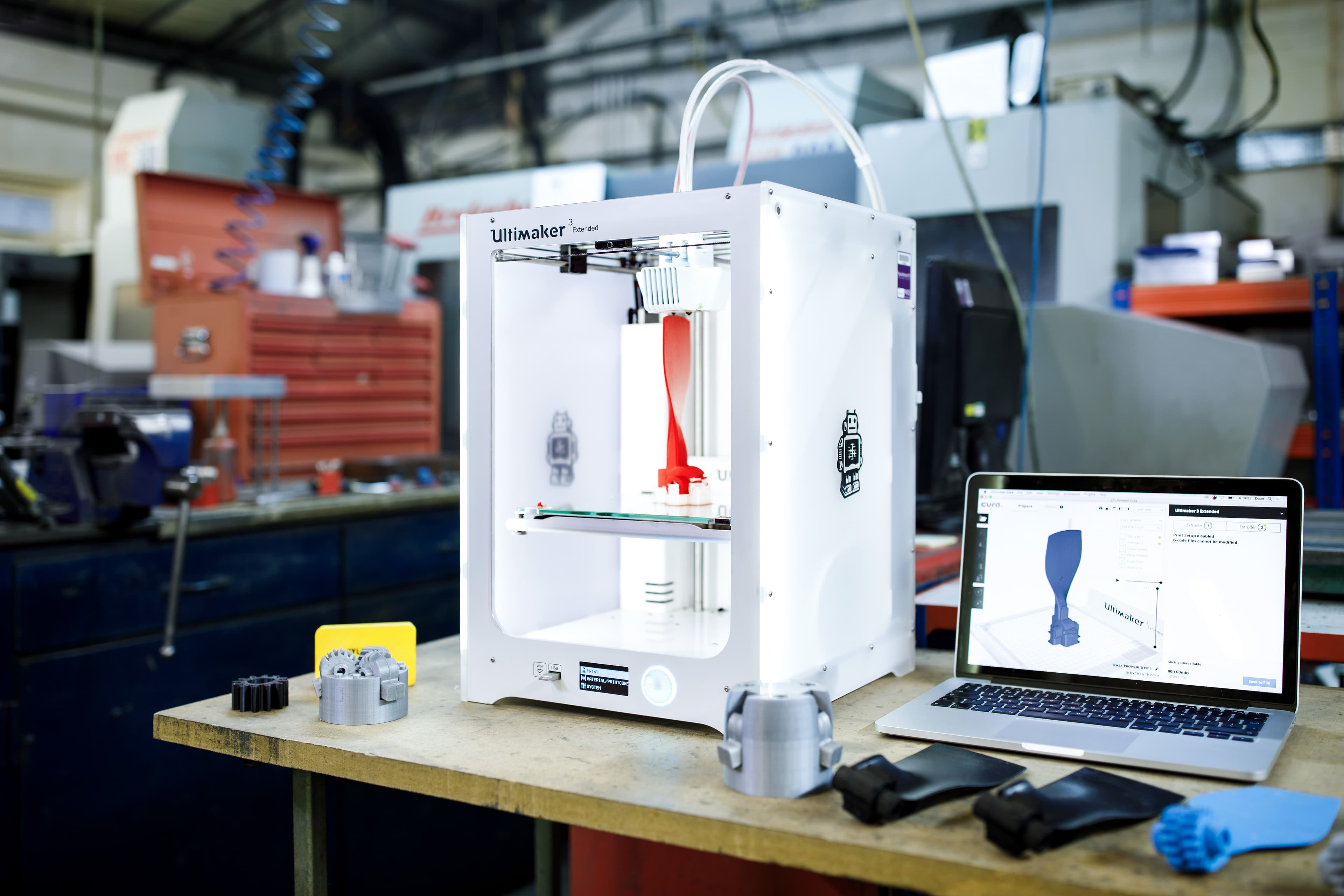
Prototype Reality
AI helps most when the shop still validates the part.
Future
The future of CAD + AI
AI copilots embedded directly inside CAD software
Voice-assisted modeling for common feature creation
Automatic dimension and constraint suggestions
Generative optimization tied to real loads and materials
Automated drawings, revision notes, and documentation
Simulation-assisted design loops that test more options faster
These tools will make skilled designers faster. They will not remove the need for people who understand how real parts are made, tested, assembled, and repaired.
The Real Takeaway
"AI probably won't replace CAD designers. But CAD designers using AI may replace those who don't."
Users
Who benefits most from AI tools?
Hobbyists
Faster concepting, easier learning, and more help turning rough ideas into printable first drafts.
Engineers
More automation around repetitive design work, documentation, simulation setup, and variant generation.
Product designers
Rapid style exploration, organic forms, ergonomic concepts, and faster visual iteration before detailed CAD.
Manufacturing companies
Lower iteration cost when AI is paired with design standards, tooling limits, and production knowledge.
3D print businesses
Quicker quoting, file review, support planning, print monitoring, and customer-facing prototype workflows.
Business
The business perspective
Faster prototyping
Teams can explore more options before committing engineering time to one direction.
Lower iteration costs
Automation can reduce manual file prep, versioning, documentation, and repeated modeling work.
Increased productivity
Designers can spend more time solving real constraints instead of redrawing the same patterns.
Reduced time-to-market
AI-assisted workflows can move early concepts into testable prototypes faster.
Stronger automation advantage
Businesses that combine CAD expertise, manufacturing knowledge, and software automation will move faster than teams using disconnected tools.
Verdict
Final verdict
Find out more
Related Reading
Best 3D printer for small businesses in 2026
Compare practical printer choices for small production workflows.
Read morePLA vs PETG vs ABS
Understand the material tradeoffs that AI-generated models still have to respect.
Read moreHow to monitor your 3D printers with Node.js
See how software automation can improve print farm visibility.
Read moreCustom CAD and 3D printing services
Get file review, printability feedback, prototyping, and local 3D printing support.
Read more3D scanning services
Use scanning and reverse-engineering workflows when a physical part needs to become digital.
Read moreCAD, Automation, and AI Workflows
Need help with CAD, automation, or AI-assisted workflows?
DillaDev can help with custom CAD, prototyping, 3D printing, automation software, AI-enhanced workflows, and practical manufacturing tooling that connects ideas to parts that actually work.