
DillaDev Notes
May 5, 2026
How to Monitor Your 3D Printers with Node.js
Track printer status, temperatures, job progress, and failures before they cost you time and money.
Print Farm Visibility
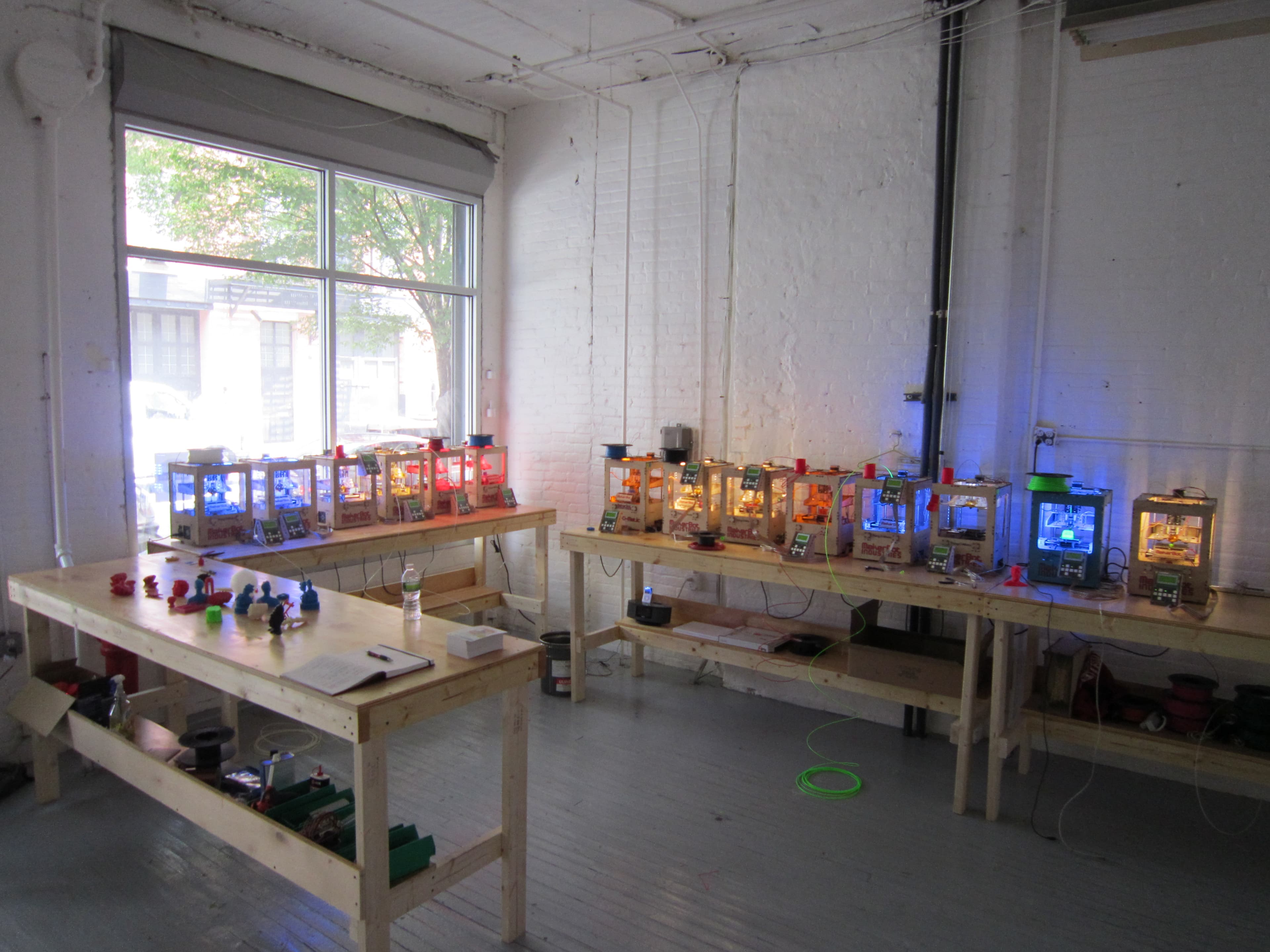
Stop walking the room to find problems.
A small dashboard can show which printers are running, which jobs are late, which machines are cold, and which failures need attention.
Intro
More printers make manual checking expensive.
One printer is easy to check by walking over to the machine. Three, six, or twelve printers are different. Manual status checks become interruptions, and missed failures become real cost.
A Node.js monitoring tool can collect printer status, job progress, nozzle and bed temperatures, uptime, errors, and alerts from the systems you already use. For a small 3D printing business, that means less guessing and more predictable production.
Why Monitor
Why monitor your 3D printers?
Reduce failed prints by catching problems earlier.
Detect issues before a full plate of parts is wasted.
Track uptime so you know which printers actually produce.
Know when jobs finish without checking every machine.
Measure production capacity across a growing print farm.
Support more printers without adding constant manual work.
Telemetry
What can Node.js monitor?
Printer online/offline status
Normalize this signal into one dashboard view so each printer can be compared consistently.
Current print job
Normalize this signal into one dashboard view so each printer can be compared consistently.
Percent complete
Normalize this signal into one dashboard view so each printer can be compared consistently.
Nozzle temperature
Normalize this signal into one dashboard view so each printer can be compared consistently.
Bed temperature
Normalize this signal into one dashboard view so each printer can be compared consistently.
Camera snapshot if available
Normalize this signal into one dashboard view so each printer can be compared consistently.
Filament/runout events
Normalize this signal into one dashboard view so each printer can be compared consistently.
Error codes
Normalize this signal into one dashboard view so each printer can be compared consistently.
Print history
Normalize this signal into one dashboard view so each printer can be compared consistently.
Estimated completion time
Normalize this signal into one dashboard view so each printer can be compared consistently.
Integrations
Common data sources
Most printer monitoring projects start by connecting to the APIs and event streams already available in the shop.
OctoPrint API
OctoPrint exposes job, printer, temperature, file, and connection endpoints that work well with scheduled Node.js polling.
Moonraker/Klipper API
Moonraker provides HTTP and WebSocket access for Klipper printer state, job progress, telemetry, and events.
Bambu local/network integrations
Some Bambu workflows can be monitored over local or network integrations where available, but support varies by model, firmware, and network mode.
MQTT
MQTT is useful when printers, sensors, or gateways publish status events to a broker that your Node.js service can subscribe to.
Log files
For custom machines or internal tools, log parsing can capture completed jobs, errors, warnings, and operator notes.
Custom ESP32 sensor nodes
Small sensor nodes can publish enclosure temperature, humidity, vibration, door state, or filament runout events.
Smart plugs and power APIs
Power draw can help detect idle printers, unexpected shutdowns, heater activity, and prints that stopped silently.
Some printer ecosystems are more open than others. The right implementation depends on printer model, firmware, local network access, and which APIs the manufacturer exposes.
Architecture
Example architecture
Node.js/Express backend
Own the printer integrations, auth, API responses, and normalized printer state.
Scheduled polling worker
Collect snapshots every 15 to 30 seconds for active printers and less often for idle machines.
WebSocket or SSE updates
Push fresh printer state to the browser without forcing manual refreshes.
SQLite or PostgreSQL database
Store printers, snapshots, job history, alert rules, and incident records.
React dashboard frontend
Show operator-friendly status cards, filters, charts, alerts, and production summaries.
Notification service
Send email, Teams, SMS, or webhook alerts when a printer needs attention.
Docker deployment
Package the dashboard, worker, and configuration so it can run on a mini PC, NAS, VPS, or local server.
TypeScript
Sample data model
Keep the model simple at first. A printer record describes the machine and connection. A snapshot records what was observed at a specific moment.
type PrinterApiType = "octoprint" | "moonraker" | "bambu" | "mqtt" | "custom";
type PrinterStatus = "online" | "offline" | "idle" | "printing" | "paused" | "error";

export interface Printer {
  id: string;
  name: string;
  model: string;
  location: string;
  apiType: PrinterApiType;
  apiUrl: string;
  status: PrinterStatus;
  lastSeenAt: Date | null;
}

export interface PrinterSnapshot {
  printerId: string;
  status: PrinterStatus;
  jobName: string | null;
  progress: number | null;
  nozzleTemp: number | null;
  bedTemp: number | null;
  errorCode: string | null;
  capturedAt: Date;
}
Node.js
Basic Node.js polling example
This Express-style example polls a generic printer status endpoint every 20 seconds, normalizes the response, and stores the latest snapshot. Real projects should add retries, persistent storage, per-printer polling intervals, and secure token management.
import express from "express";

type PrinterStatus = "online" | "offline" | "idle" | "printing" | "paused" | "error";

type Printer = {
  id: string;
  name: string;
  apiUrl: string;
  apiType: "octoprint" | "moonraker" | "custom";
  tokenRef?: string;
};

type PrinterSnapshot = {
  printerId: string;
  status: PrinterStatus;
  jobName: string | null;
  progress: number | null;
  nozzleTemp: number | null;
  bedTemp: number | null;
  errorCode: string | null;
  capturedAt: Date;
};

const app = express();
const latestSnapshots = new Map<string, PrinterSnapshot>();

const printers: Printer[] = [
  {
    id: "printer-1",
    name: "Printer 1",
    apiUrl: "http://printer-one.local",
    apiType: "custom"
  }
];

function buildAuthHeaders(printer: Printer) {
  // Load tokens from an environment variable, secret store, or database.
  // Do not hardcode real API keys in source code.
  if (!printer.tokenRef) {
    return {};
  }

  const token = process.env[printer.tokenRef];
  return token ? { Authorization: "Bearer " + token } : {};
}

function normalizeSnapshot(printer: Printer, raw: any): PrinterSnapshot {
  return {
    printerId: printer.id,
    status: raw.status ?? "online",
    jobName: raw.jobName ?? null,
    progress: typeof raw.progress === "number" ? raw.progress : null,
    nozzleTemp: typeof raw.nozzleTemp === "number" ? raw.nozzleTemp : null,
    bedTemp: typeof raw.bedTemp === "number" ? raw.bedTemp : null,
    errorCode: raw.errorCode ?? null,
    capturedAt: new Date()
  };
}

async function pollPrinter(printer: Printer) {
  try {
    const url = new URL("/api/printer/status", printer.apiUrl);
    const response = await fetch(url, { headers: buildAuthHeaders(printer) });

    if (!response.ok) {
      throw new Error("Printer returned HTTP " + response.status);
    }

    const raw = await response.json();
    latestSnapshots.set(printer.id, normalizeSnapshot(printer, raw));
  } catch (error) {
    latestSnapshots.set(printer.id, {
      printerId: printer.id,
      status: "offline",
      jobName: null,
      progress: null,
      nozzleTemp: null,
      bedTemp: null,
      errorCode: error instanceof Error ? error.message : "poll_failed",
      capturedAt: new Date()
    });
  }
}

setInterval(() => {
  void Promise.all(printers.map((printer) => pollPrinter(printer)));
}, 20_000);

app.get("/api/printers/snapshots", (_request, response) => {
  response.json(Array.from(latestSnapshots.values()));
});

app.listen(3000, () => {
  console.log("Printer monitor listening on port 3000");
});
Live UI
Live dashboard features
Operator View
Make the next action obvious.
Alerts
Alerting ideas
Printer offline for X minutes
Temperature not rising after heat command
Print paused longer than expected
Job completed and ready for removal
Error detected from firmware or API response
Filament runout or sensor-triggered material issue
Smart plug power draw changed unexpectedly
Business Impact
Why this matters for a small business
Fewer wasted prints and less wasted filament
Better production planning across multiple machines
Faster response when a print pauses, fails, or finishes
Easier scaling from a few printers into a small print farm
More predictable delivery times for Etsy, prototype, and small-batch orders
Custom Software
Want a custom 3D printer monitoring dashboard?
DillaDev can build software to monitor print farms, automate alerts, connect printer APIs, and improve production visibility for Etsy sellers, small manufacturers, and growing print shops.